Fix license Keychain access error
Это содержимое пока не доступно на вашем языке.
FunPlayer stores your license securely in macOS Keychain. If macOS cannot give the app access to that saved entry, you may see a Keychain license access error.
Remove the saved license entry
Section titled “Remove the saved license entry”- Quit FunPlayer.
- Open Keychain Access (in Applications > Utilities).
- Select the login keychain and search for
org.atomicbyte.funplayer.direct.license.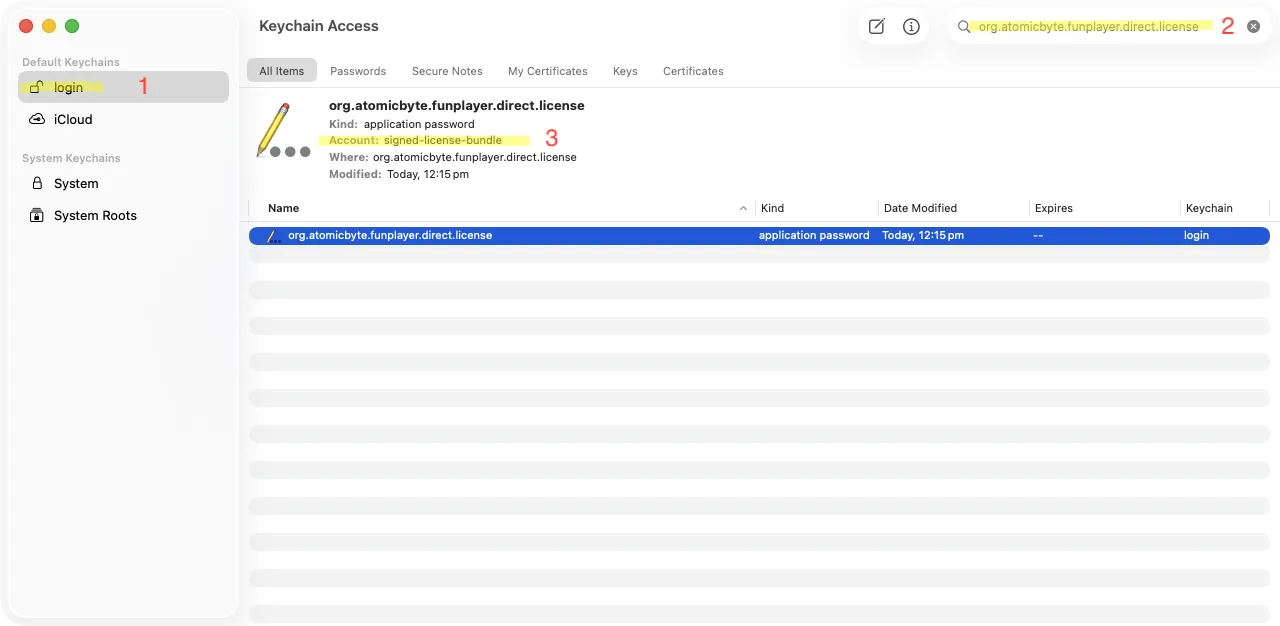
- Select the entry and make sure Account:
signed-license-bundle. (See photo highlight above) - Delete the item
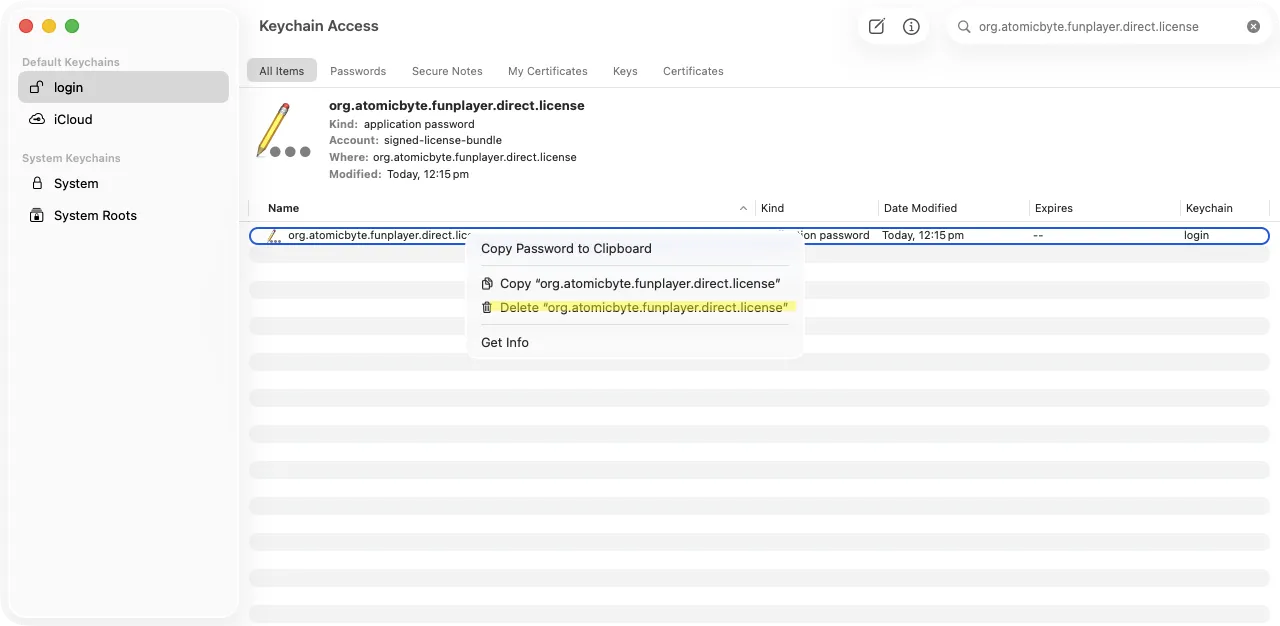
- Open FunPlayer and activate your license again.
Removing this entry only clears the locally stored license on this Mac. It does not cancel your purchase. If you need any further assistance, contact support for help.