Intiface Central
Intiface® Central is an open-source, cross-platform application that is a hub for many intimate haptic hardware types.
It is a very powerful software, bringing support for hundreds of haptic devices.
How it works
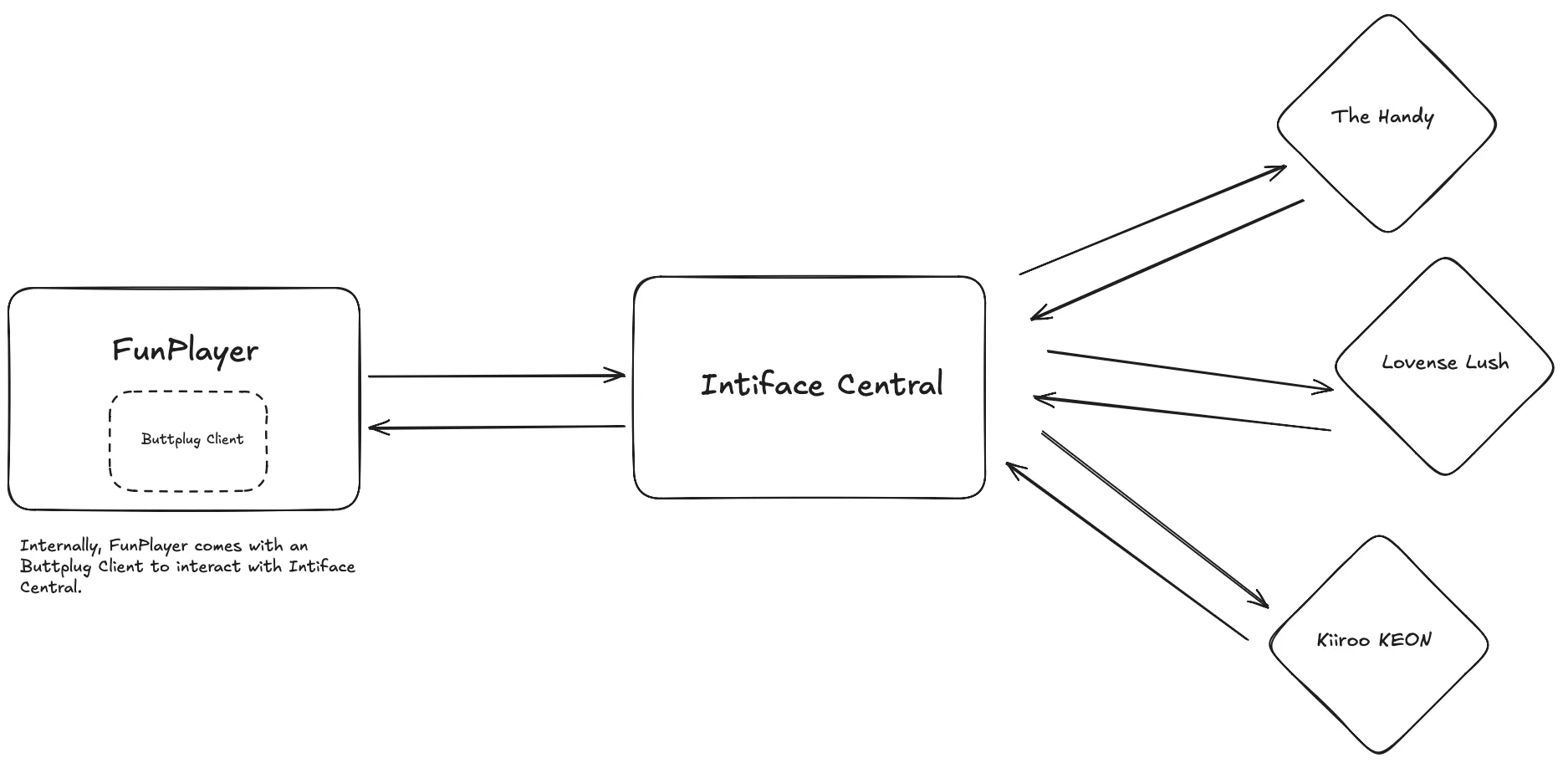
Section titled “How it works”Intiface Central is an official app by the creators of Buttplug.io. It is a user-friendly app that, under the hood, runs a Buttplug server.
FunPlayer contains a Buttplug client that talks to Intiface Central via Websockets.
When adding an Intiface Central server in FunPlayer, you are requested to enter a Websocket URL, this is the URL that Intiface Central is running on.
Configuring Intiface Central
Section titled “Configuring Intiface Central”Rather than regurgitating information from the official guide, please take some time to read the quick start guide.
Also, there is a concept of “device scanning”, understanding this is an important part to using the Intiface Central app. It’s covered in the quick start guide.
Add Intiface Central to FunPlayer
Section titled “Add Intiface Central to FunPlayer”- In the Servers section, click the plus icon.
- Choose Intiface Central.
- Set a name you like.
- Enter the base URL including scheme and port (in most cases this should work:
http://127.0.0.1:12345). - Save and click Connect.
Bonus: Using a different device to run Intiface Central
Section titled “Bonus: Using a different device to run Intiface Central”What’s interesting is Intiface Central is cross-platform. This means you could technically, for whatever use-case you have in mind, have your iPhone or Android, or any other device running Intiface Central as the server.
To clarify the only gotcha would be making sure the IP you put into FunPlayer is correct.
You cannot put localhost if Intiface Central is running on a device other than your Mac. Because that’s bound to each device.
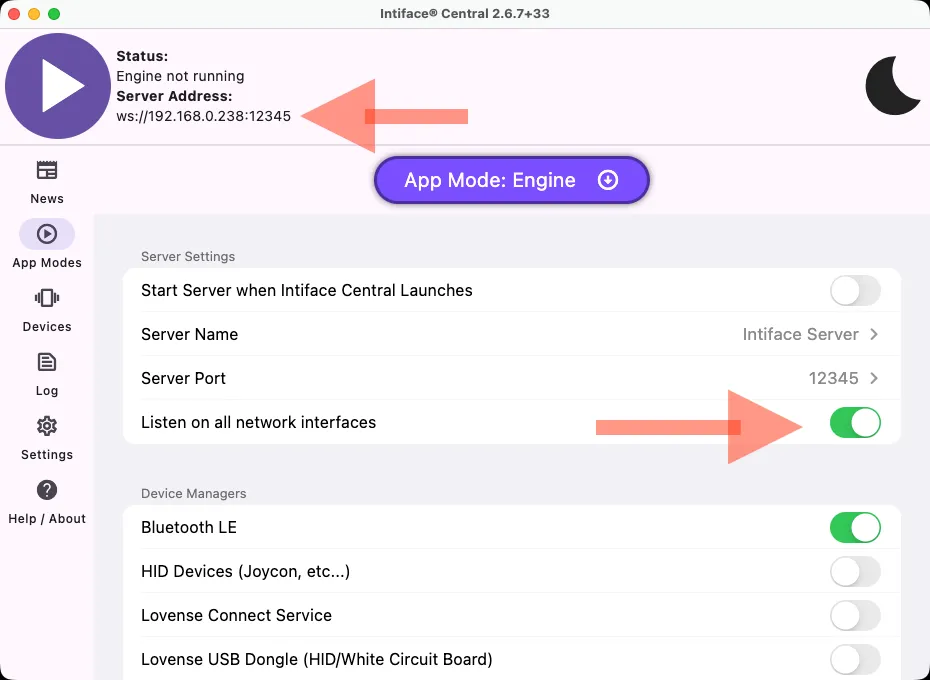
Take a look at the image below, what you need to pay attention to is:
- In the
App Modespage -> theListen on all network interfacesis toggled on - This changes the
Server Addressdisplayed. - Put this address into the URL when adding Intiface Central.